


Replay Gunner
Replay Gunner
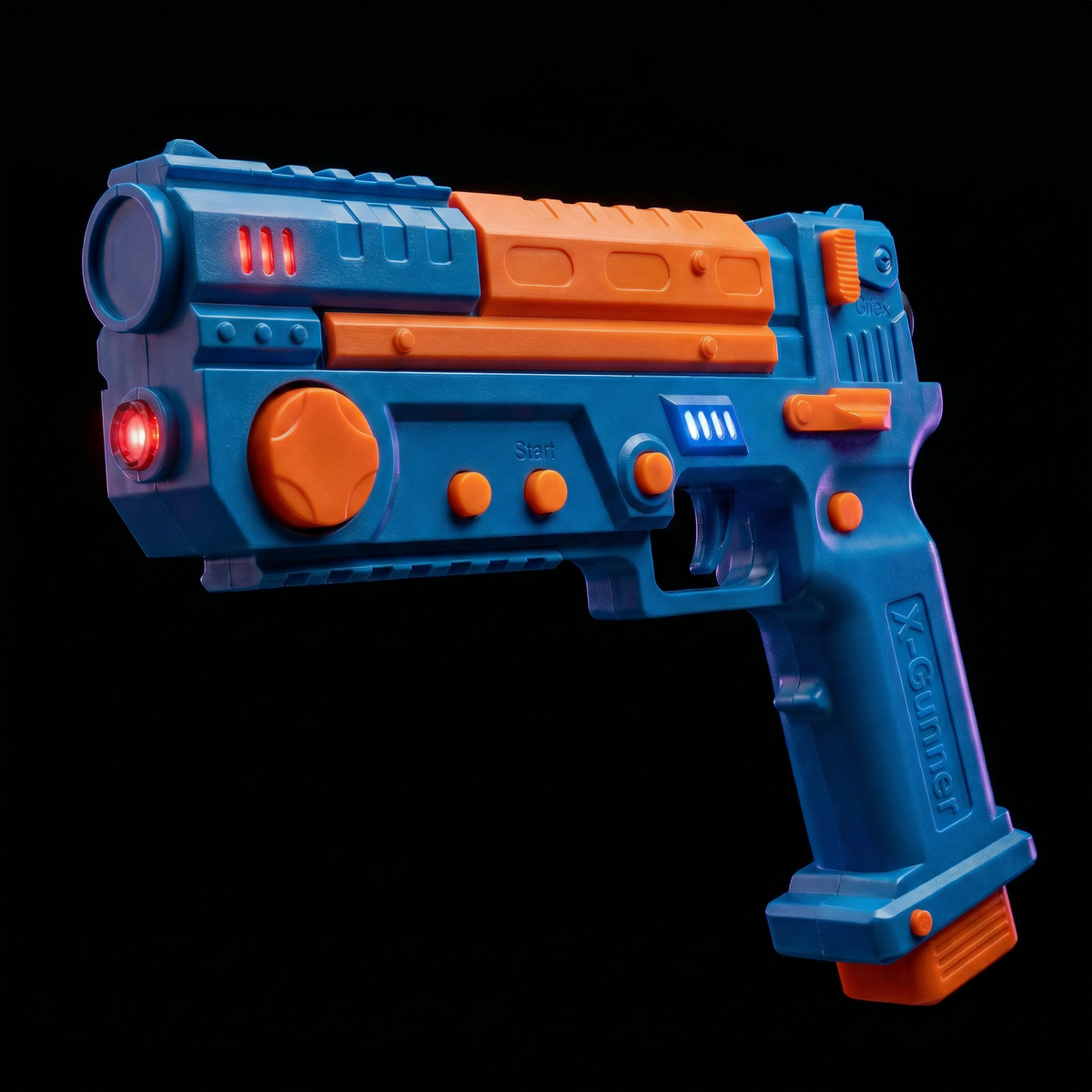
🕹️Your arcade. At home. Finally.
🔫Not a controller. A time machine.
💥 Real recoil. Every shot. Every reload.
Couldn't load pickup availability
Is it compatible with my setup?
Is it compatible with my setup?
Works with any LED, OLED, or 4K TV, plus projectors up to 100 inches. You'll need a Windows or Linux PC to run the games. If you've got a flat screen and a computer, you're ready to play.
Do I need the Replay Stick?
Do I need the Replay Stick?
Only if you don't already have compatible games set up. The Replay Stick comes preloaded and ready to go, choose the 1TB tier for 600+ games. If you can think of a light gun game we probably have it.
What's included?
What's included?
One Replay Gunner, four IR sensors, a USB receiver, rechargeable batteries, and a charging cable. Everything you need to start playing right out of the box.
Is it hard to set up?
Is it hard to set up?
Not at all. Clip the four sensors to your screen, plug in the USB receiver, and calibrate in about 30 seconds. Most people are shooting within two minutes.
Does it have a foot pedal?
Does it have a foot pedal?
No pedal needed. The crouch function is built directly into the Replay Gunner as a dedicated button, press to pop out of cover and fire, release to duck back down. Same gameplay, nothing to trip over.
Returns & Shipping
Returns & Shipping
Ships in 3-5 business days, plus 7-21 business days for delivery depending on your location. If the Replay Gunner isn't everything you hoped for, you're covered by our 30-day return policy.
-

These light guns are insane. Pretty much plug and play as long as you follow the manual first. The recoil actually feels different depending on the game didn't expect that. Being wireless is a total game changer.
-

Me and my husband are huge retro arcade fans and this delivers. Plays Time Crisis, Point Blank, HOD all of it. Setup took a little patience but 100% worth it. Support team was really helpful.
-

Works great. Adding a second gun requires a quick firmware flash but honestly took me 5 minutes. Join their Discord before you start. The tutorials make everything straightforward.


Plug In & Start Blasting
No drivers. No calibration headaches. Ready to play straight out of the box.
Mount the sensors
Stick the 4 IR sensors to the corners of your TV or projector.
Connect the receiver
Plug the 2.4GHz USB receiver into your PC, laptop, or mini-PC.
Power up and calibrate
Load the batteries into the grip, power on, and run the quick calibration.
Pull the trigger
Load up your favorite arcade classics and start blasting.
Got the Bundle? Just plug in your Replay Arcade drive, it comes preloaded with 600+, ready to go.
Screen Size Guide
Bigger isn't always better with a light gun. Sweet spot: 33" to 55". The larger your screen, the further back you'll need to stand. Use the chart below to find your ideal distance before buying.
| Screen Size | Minimum Distance (ft) | Optimal Distance (ft) |
|---|---|---|
| 24" | 1.3–1.7 ft | 3 ft |
| 27" | 1.4–1.8 ft | 3 ft |
| 32" | 1.7–2.1 ft | 4 ft |
| 43" | 2.3–2.8 ft | 4–5 ft |
| 50" | 2.6–3.2 ft | 5–6 ft |
| 55" | 2.9–3.5 ft | 5–6 ft |
| 65" | 3.4–4.1 ft | 6–8 ft |
| 75" | 3.9–4.7 ft | 7–9 ft |
| 85" | 4.3–5.3 ft | 8–10 ft |
Testimonials
-

Took me straight back
I grew up living at the arcade. This thing brought all of it back the second I picked it up. Wireless, solid in your hand, and the recoil when you fire is genuinely shocking in the best way. Had three friends over the first weekend just so they could try it. Honestly one of the best purchases I've made in years.
-

A full arcade in your living room
I had an old PC collecting dust. Plugged this in and it became a full arcade setup overnight. When you think about what an actual arcade room would cost to build this thing paid for itself in the first weekend. The recoil syncs perfectly with every game. Nothing feels like a compromise.
-

Zero regrets
Arrived in about a week, worked straight out of the box. No setup headaches, no cables, no hassle just pure fun from the first minute. The wireless alone makes it worth every penny. I've genuinely lost track of time playing this thing.


